R-Flow is the Windows companion your booth has been missing. Reorder decks to tonight's setlist, sync to the DJ's decks, pixel-map the venue from a PNG, and fire beat-perfect looks. All without touching your composition mid-set.
Each app in R-Flow is a tool you can own. Buy only what your shows need, or grab the whole suite.

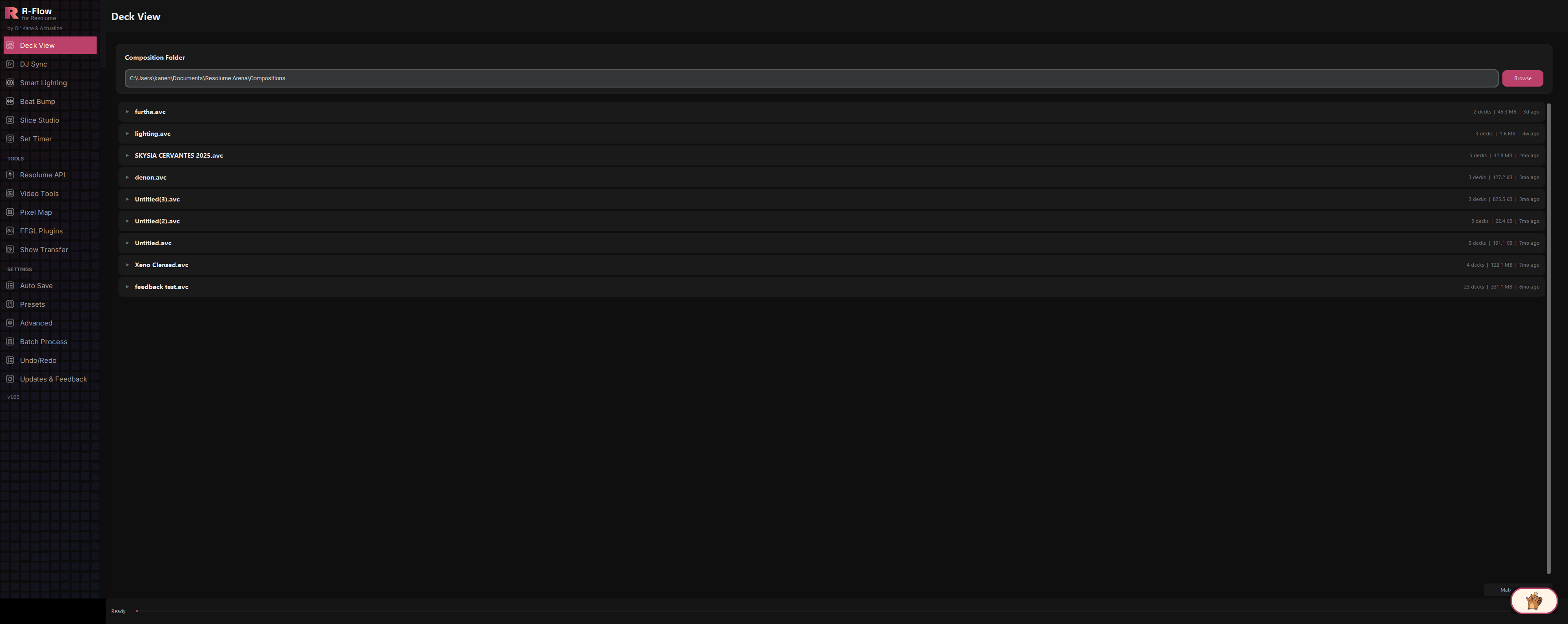
See inside every composition, then reorder decks to your setlist without opening Resolume.
Read the docs →
Your decks drive the visuals: beat-locked BPM, auto clip triggers, no extra hardware.
Read the docs →
Turn every smart light in the room into a beat-synced rig: Hue, LIFX, Govee, Nanoleaf.
Read the docs →
Your stage as a drum machine: sequence panel bumps and export Resolume-ready loops.
Read the docs →
Map one clip across your whole stage, build up to 16 Looks, and ride them live on sliders.
Read the docs →
Know how long your set will actually run before you ever step in the booth.
Read the docs →Scan the real objects on a wall with your phone, then play on them — web-swing between them as spoderman, or side-scroll past them in Gooby Run.
Read the docs →
Batch-convert entire folders of clips to Resolume-ready HAP. No FFmpeg install needed.
Read the docs →
Drop a venue pixel map, get a finished Resolume Advanced Output preset in seconds.
Read the docs →
Eight custom Resolume plugins, installed into Arena with one click.
Read the docs →
Your whole Resolume composition in a browser: from the booth, from the back of the room, or from another city.
Read the docs →
Pack a whole show for another machine and have every clip relink when it lands there.
Read the docs →Point at the structures in a photo of your stage and export a MadMapper project with them already traced.
Read the docs →
Auto-saves, presets, batch runs, smart matching, and instant undo. Your show, protected.
Read the docs →
One-click updates, sign-in licensing, and a direct line to the developer.
Read the docs →R-Flow is a Windows desktop companion for Resolume Arena that puts 17 VJ power tools behind one sleek, dark, sidebar-driven interface. Beyond the individual tools, the app runs a set of companion services that turn your rig into a connected system: a live preview monitor that captures Resolume's NDI output, a browser-based remote that mirrors your whole setup to any phone or laptop, low-latency audio streaming so remote viewers can hear the room, and Beaver, a built-in chat assistant that knows every corner of the app and can see your live composition. Built by working VJs (Ol' Kane and Actualize), it is designed to sit next to Resolume all night without getting in the way.
A true-dark interface with a pink-accented sidebar organized into Main, Tools, and Settings sections: 17 tools from Deck View and DJ Sync to Pixel Map and FFGL Plugins, one click apart. Pages load on demand so startup stays fast, a status footer shows progress on every long job with a Cancel button, and global shortcuts (Ctrl+Z / Ctrl+Y undo-redo in the Pixel Map editor) keep your hands on the keyboard. Full Windows Snap support and a splash screen with your version number round it out.
The built-in monitor receives Resolume's NDI output and turns it into an efficient motion-JPEG stream any browser can display, with no plugins needed on the viewing device. Frame rate is adjustable from 1 up to 120 fps, four quality presets (Smooth, Balanced, High, Max) trade sharpness for bandwidth, and an auto-crop mode trims the black canvas around Resolume's preview output. It is deliberately bandwidth-friendly, so it stays smooth even over an internet tunnel to someone off-site.
R-Flow serves its own web control surface on port 8081: a live clip grid you can trigger from a phone, an effects inspector, video and audio streams, shared sticky notes, a crew chat, and a browser-to-Resolume MIDI bridge. You can even drag a video file from your desktop onto a clip cell in the browser and R-Flow uploads it and loads it straight into that Resolume slot. Everything, including Resolume's own REST API, is relayed through that single port, which makes it trivial to expose through a Cloudflare or ngrok tunnel.
Pick any audio input or loopback device and R-Flow broadcasts it to web listeners two ways: a standard MP3 radio-style stream (96 kbps by default) that plays in anything, and a raw uncompressed stream that modern browsers play with under 100 ms of latency. Multiple listeners can tune in at once, and slow connections are handled gracefully instead of stalling the show.
A floating chat bubble in the bottom-right corner of the app. Beaver answers "how do I…" questions about every R-Flow feature from a knowledge base written directly from the app itself (exact button names, defaults, ports, and fixes), and it reads a live snapshot of your connected Resolume composition, so it can answer things like "what's on layer 2?" or "what BPM am I at?" with real data. Replies stream in word by word, and a model picker lets you choose a bigger or smaller brain depending on the server.
R-Flow checks for updates at startup and shows release notes with a one-click "Update Now" (or "Skip for Now"). You can also check manually from the Updates & Feedback app. Destructive operations across the app create timestamped backups first, settings persist automatically between sessions, and crashes write a log file so problems can actually be diagnosed.
Every app in the suite, one key. The whole toolkit. Individual apps start at $9. Mix and match in the store.