
Set Timer
Know how long your set will actually run before you ever step in the booth.
Know how long your set will actually run before you ever step in the booth.
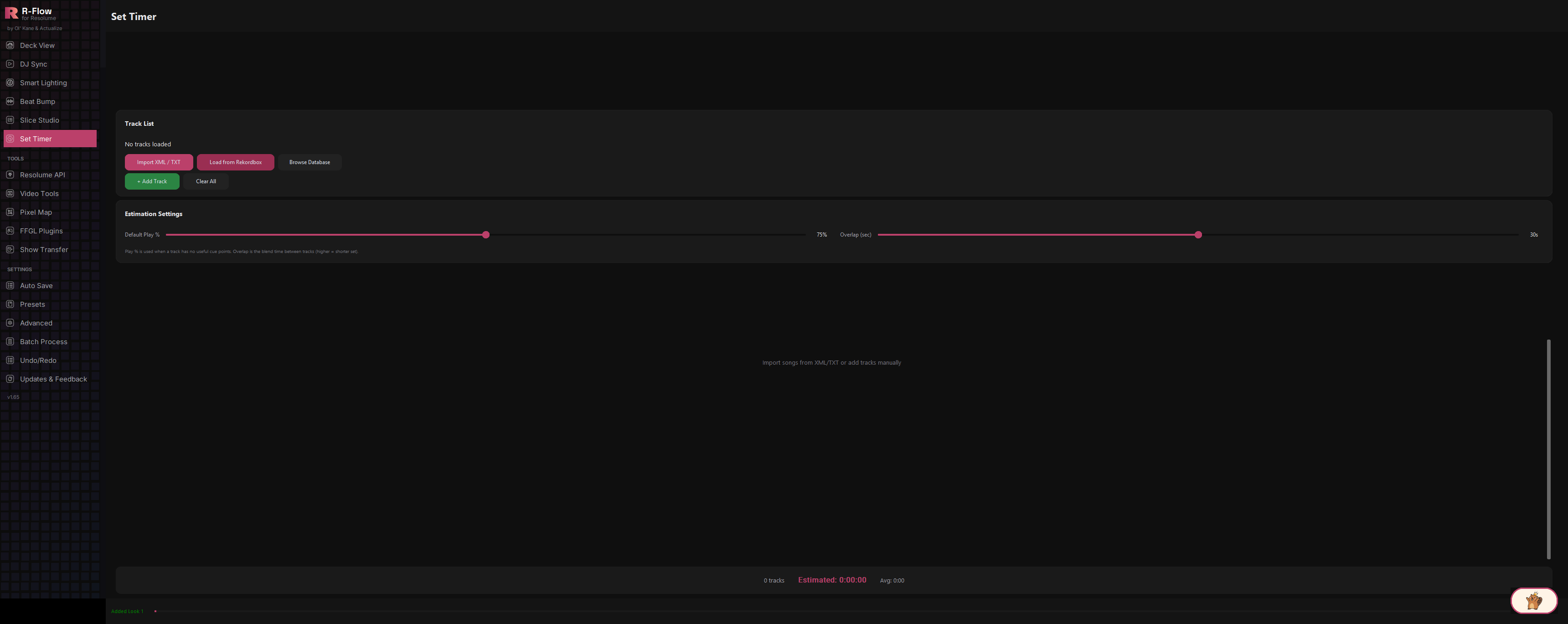
Set Timer estimates the real-world length of a DJ set from the tracks you plan to play. Pull songs straight from your Rekordbox library, import a Rekordbox XML or TXT playlist export, or type tracks in by hand. Set Timer then combines each track's length, its cue points, and your transition overlap to predict total set time. Tweak two sliders and watch the estimate update live, so you can build a set that lands exactly on your slot length.
When tracks are loaded directly from your Rekordbox database, Set Timer reads each track's cue points and uses the spread between them (or, with a single cue, the play-from-cue-to-end time) plus an outro buffer to estimate how much of the track you'll actually play, not just its full runtime. Cue-based estimates are highlighted in the track list.
Load songs straight from your Rekordbox database, import a Rekordbox XML or tab-delimited TXT export, or add tracks manually with title, artist, duration, and BPM.
Database and file imports open a picker where you can search by title or artist, tick individual songs, or hit All / None to bulk-select, then confirm with Add Selected.
The bottom bar always shows track count, total estimated set time (H:MM:SS), and average play time per track, all recalculated instantly as you add tracks or move the sliders.
A Default Play % slider (50-100%) covers tracks without useful cue points, and an Overlap slider (0-60 seconds) subtracts blend time between every pair of adjacent tracks. Mix longer, and your set gets shorter.
Every track shows its position, title, artist, BPM, full duration, estimated play time, and cue count, with a one-click remove button per row plus a Clear All option.
You'll see a Track List card up top, an Estimation Settings card below it, an empty track area in the middle ("Import songs from XML/TXT or add tracks manually"), and a summary bar at the bottom.
Pick whichever source fits: click "Load from Rekordbox" to read your Rekordbox library directly (direct database loads, including via "Browse Database", are the only method that also pulls in cue points), click "Import XML / TXT" to load a Rekordbox playlist export, or click "+ Add Track" to enter a title, artist, duration (like 5:30), and BPM by hand. If your Rekordbox database isn't found automatically, use "Browse Database" to point Set Timer at the file yourself.

For database and file imports, a picker dialog lists everything available. Type in the "Search by title or artist..." box to filter, use the checkboxes (or the All / None buttons) to select, then click "Add Selected". You can repeat imports to keep stacking tracks onto the list.
Each row shows #, Title, Artist, BPM, Duration, Est. Play, and Cues. Est. Play is the time Set Timer thinks you'll actually spend on that track, shown in the accent color when it was calculated from cue points. Click the small x on a row to remove one track, or "Clear All" to start over (it asks for confirmation).
Drag "Default Play %" (50-100%, starts at 75%) to set how much of a track you typically play when there are no useful cue points. Drag "Overlap (sec)" (0-60 seconds, starts at 30) to match your average blend time between tracks. Higher overlap means a shorter total set. Every change recalculates the whole list instantly.

The summary bar at the bottom shows the total track count, "Estimated:" total set time in hours:minutes:seconds, and "Avg:" play time per track. Add or remove tracks until the estimate matches your slot.

| Default Play % | Slider from 50% to 100% (default 75%). The share of a track's full length counted when it has no useful cue points to estimate from. |
|---|---|
| Overlap (sec) | Slider from 0 to 60 seconds (default 30). The blend time between adjacent tracks, subtracted once per transition from the total (higher overlap means a shorter estimated set). |